Turbo Scripts
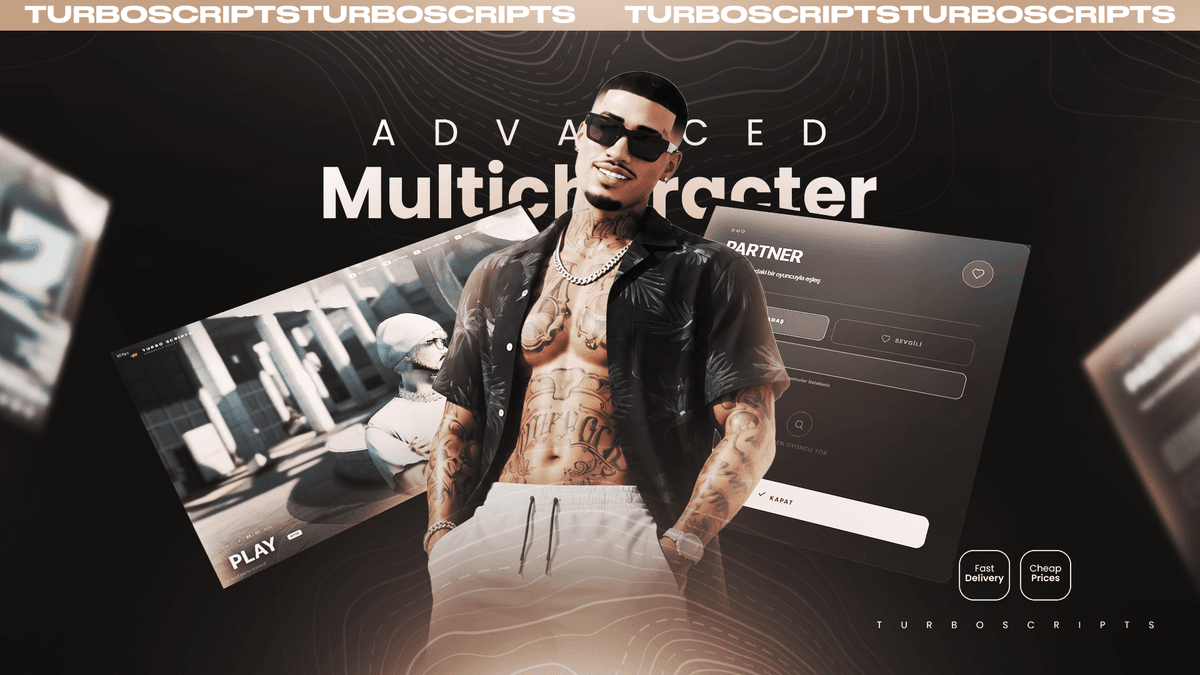
Advanced Multicharacter System
$20
Description
The First Thing Every Player Sees
Most character selection screens are just a list. A player connects, clicks a slot, and spawns. Turbo Multicharacter V2 turns those first ten seconds into a trailer for your server.
The moment they connect, the camera starts forty-six degrees off-axis, five metres back, and glides toward their character in one uninterrupted arc. No cuts. No flashes. No loading-screen feel.
Watch It In Action
Video not loading? Watch the trailer on YouTube
Cinematic Intro
- One uninterrupted camera move on connect
- Logo fades out, location slate fades in mid-move
- Skippable at any point with SPACE or ESC
- Every timing value exposed in the config
Eight Ready Scenes
- Observatory terrace with the city below, waterfall in morning fog, lighthouse in a storm, pier at sunset
- Rooftop at night, cabin in a blizzard, dam wall, park at golden hour
- Each scene carries its own time of day, weather and camera framing
- Capture your own locations in-game with a single command and paste the generated line into the config
Partner System
- Pair with another player as a lover or a friend
- Both characters play one synchronized scene — perfectly aligned poses, no clipping, no guesswork
- Vanilla couple animations included: embraces and paired dances
- The bond is stored, so your partner is there next time you log in
Photo Mode
- Ten camera angles and twenty filters
- Rotate, tilt and zoom freely
- Every shot saved to a personal gallery
Real WebGL Blur
- The live game render is captured and blurred on the GPU in real time
- Separable gaussian blur with temporal smoothing — no flicker
- Not a CSS trick, not a static image: actual frosted glass
- Blur strength adjustable per UI element
Character Slots & Permissions
- Extra character slots granted automatically by Discord role
- Token-free alternatives: ACE permissions or a license list
/addcharacterslotgrants slots instantly, stored in the database- Delete, logout, photo mode and gallery buttons can each be disabled — enforced on the server, not just hidden in the UI
Built to Drop In
- Auto-detects QBCore, QBox and ESX
- Finds your clothing script by itself — illenium-appearance, fivem-appearance, qb-clothing, bl_appearance and more. If the one you configured isn't running, it tries the others
- English, Turkish and German included; change the language in one line
- Config and editable files are open and commented
Requirements
- QBCore, QBox or ESX
- oxmysql
- A clothing / appearance script
- screenshot-basic (photo mode only)
Support
Full support through our Discord. Installation help, config questions and compatibility issues — we answer them.
Created by The ElectusS — TurboScripts
$20
One-time purchase
Lifetime Updates
Free forever
Priority Support
24/7 Discord
Secure & Escrowed
Tebex protected